
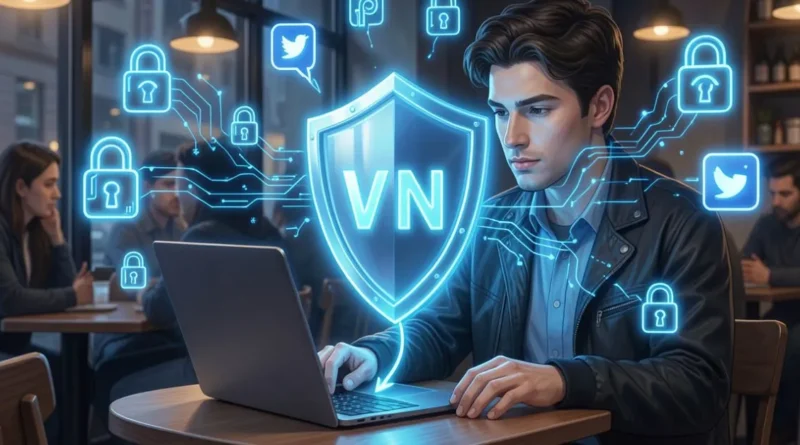
How does a VPN help protect personal data on social media platforms?
Have you ever logged into your social media account in a crowded café, only to wonder how safe your information truly is? With cyber threats lurking on public Wi-Fi networks, trusting your online privacy can feel like walking a tightrope. The growing concerns over data breaches and invasive tracking should make you question: how can you secure your digital footprint while connecting with friends and family online?
In today’s hyper-connected world, staying secure online is more critical than ever. With the rise of hackers and surveillance, the importance of online privacy has never been so pronounced, especially on social media platforms where personal data is exchanged daily. But don’t worry; this article will guide you through the multifaceted realm of Virtual Private Networks (VPNs) and how they serve as your shield against digital threats. From understanding the basics of VPN encryption to discovering how it can protect your social media interactions, you’ll learn essential strategies to enhance your online privacy. So, whether you’re streaming in a café or navigating through a hotel lobby, keep reading to unveil the secrets of safe social media access using VPN technology.
Understanding VPNs: The Basics of Online Privacy
A VPN, or Virtual Private Network, establishes a secure and encrypted connection between your device—be it a smartphone, laptop, or tablet and a remote server. This connection ensures that your online activities are safeguarded from prying eyes.
When you use a VPN, your internet traffic appears to originate from the server’s IP address rather than your own. This can affect how social media platforms, such as Facebook, Twitter, and Instagram, see your location and activity.
Popular VPN protocols include OpenVPN, WireGuard, and IKEv2, while strong encryption methods often rely on AES-256, utilizing either 128-bit or 256-bit keys to protect your data.
The Role of VPNs in Securing Social Media Data
Using a VPN is essential for safeguarding your data while it’s in transit, such as when you log in, send messages, or upload photos. This encryption shields sensitive information, including passwords and direct messages, from potential threats.
By employing encryption, a VPN significantly lowers the risks of session hijacking and credentials being intercepted, especially on less secure networks where attackers—like snoopers and rogue hotspots might be lurking.
How VPN Encryption Safeguards Your Social Media Interactions
VPN encryption effectively obscures the data packets traveling between your device and the VPN server. As mentioned, protocols like OpenVPN, WireGuard, and IKEv2 are commonly used to maintain this protection.
This form of encryption helps prevent passive sniffing on networks, which can involve tools that capture packets or utilize ARP spoofing techniques. However, it’s important to note that while a VPN enhances your security, it doesn’t change the security measures of the social media platforms themselves. For instance, apps like WhatsApp and Signal still provide end-to-end encryption to keep your conversations secure beyond the VPN’s reach.
The strength of the encryption is paramount, with AES-256 and advanced handshake algorithms offering robust defense against decryption attempts by potential intruders.
Concealing Your Location: The Benefits of IP Masking on Social Platforms
IP masking is a powerful feature that allows a VPN to hide your real location by routing your internet traffic through a server’s IP address. This can be beneficial for accessing content that may be restricted based on your geographical location.
Such advantages include minimizing location-based profiling and unlocking geo-restricted content, including region-locked videos, local news, and diverse streaming libraries. For enhanced privacy and protection, you can visit our page at https://www.tuxlervpn.com/download-chrome-extension/.
Combating Social Media Tracking and Advertising with VPNs
One of the best defenses against tracking and intrusive advertising is a VPN, which conceals the IP address used by advertisers and trackers. Common tracking methods include pixels, cookies, and third-party scripts designed to follow your online behavior.
Many VPNs come with built-in features that can block ads and known trackers, including ad-blocking capabilities, tracker lists, and DNS filtering options. However, it’s still vital to manage cookies and browser fingerprinting, as these remain influential factors in tracking. Regularly clearing cookies and using privacy-focused browsers can enhance your protection, especially when combined with a VPN and additional tracking blockers.
Using VPNs for Safe Social Media Access on Public Networks
Accessing public networks, such as those in cafés, airports, and hotels, can expose you to various dangers, including man-in-the-middle attacks and traffic sniffing. To protect your sensitive information, always connect to your VPN before logging into any online accounts.
The steps are straightforward: open your VPN app, select a trusted server, and then authenticate yourself on the social media platforms you wish to use.
Real-Life Scenarios: How VPNs Protect Users from Social Media Threats
Consider the scenario of logging in at a café. By using a VPN, your login credentials remain encrypted, significantly reducing the risk posed by local eavesdroppers and packet sniffers.
If you’re traveling abroad, a VPN grants you access to region-locked services while evading local ISP monitoring, allowing you to enjoy your favorite streaming services, news, and messaging apps without hindrance.
In another situation, using public Wi-Fi at an airport can pose serious risks. Here, VPNs offer protection against session hijacking and fake hotspot attacks, which can be perpetrated by malicious actors like rogue access points.
Lastly, VPNs help in reducing unwanted targeted ads and user profiling. By masking your IP address, they make it considerably more challenging for advertisers and trackers to correlate your activity across different sites.